Call handling
- Hold, blind and attended transfer
- DTMF tones and BLF busy-lamp fields
- Call history and redial
- Multiple simultaneous calls
Product / A1Phone
Enhance your communication experience with A1ROUTES softphone. Enjoy HD audio quality and stereo-quality audio with support for various codecs.
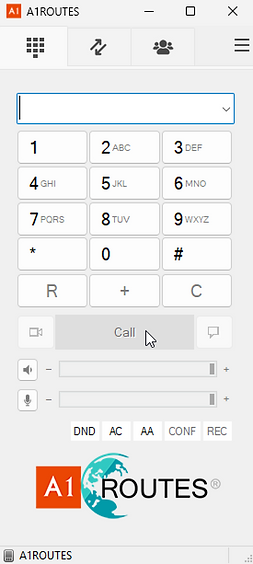
A1Phone
Benefit from smart call tools like hold, transfer, DTMF, BLF, and call history. A1Phone belongs inside the A1ROUTES product stack as the user endpoint for Cloud PBX and SIP calling.
Secure and encrypted SIP over TLS and SRTP encryption.
Seamless connectivity and crystal-clear audio quality for communication needs.
A1ROUTES support can assist with inquiries, setup, and calling issues.
Features
Getting started
Install the Windows app from the download link above. It is the user endpoint for A1ROUTES Cloud PBX and SIP calling.
Enter the SIP credentials A1ROUTES issued for your Cloud PBX extension or SIP account — username, password and domain.
Once registered, place and receive calls on your DIDs with your Cloud PBX routing. Follow the setup guide if you need a walkthrough.
A1Phone FAQ
A1Phone is A1ROUTES' softphone — a desktop app that turns a computer into a business phone for Cloud PBX and SIP calling, with call handling, HD audio and encryption built in.
A Windows installer is available for download. Because A1Phone uses standard SIP, the same A1ROUTES credentials also work in most third-party softphones if you need another platform.
Download the app, then add your account using the SIP credentials A1ROUTES issued (username, password and domain). Our step-by-step guide walks through it.
Yes. A1Phone registers to an A1ROUTES Cloud PBX extension or SIP account. Contact us to get set up with a number, extension and credentials.
Yes. A1Phone supports encrypted SIP over TLS and SRTP media encryption, and each user is issued their own credentials.
Yes. Each agent signs in with their own extension and credentials on the A1ROUTES Cloud PBX, so a whole team can run from A1Phone.
Voice Reliability Review
Use the Voice Reliability Review form to review Cloud PBX, SIP routes, agents, softphone requirements, and where direct escalation or backup routing matters.